In this article
- Start With the Target You Were Supposed to Be Measuring
- Total Ticket Sales Tell You Less Than the Direction of Ticket Sales
- The Sales Timeline Can Tell You Which Marketing Actually Moved People
- Ticket Categories Show You How Buyers Understand Your Event
- Revenue and Ticket Count Are Not the Same Story
- Attendee Information Helps You Understand Who Actually Responded
- Free Registration Data Needs a Different Interpretation
- Analytics Should Change What You Do While There Is Still an Event to Save
- Do Not React to Every Number Like It Is an Emergency
- Sponsors Need More Than a Screenshot Saying the Event Did Well
- Attendance Data Can Expose Problems Ticket Sales Cannot
- The Post-Event Report Should Answer More Than “Did We Sell Out?”
- Do Not Confuse Having Data With Understanding It
- You Should Be Able to Know How Your Event Is Performing Without Guessing
An event can look successful on social media while the numbers are quietly telling a completely different story.
The flyer is getting reposted. People are commenting that they cannot wait. Your performers are promoting it, friends keep assuring you that the venue will be packed and every conversation about the event sounds positive. Then you check the actual ticket sales and realise that excitement has not yet turned into enough people paying.
That is why event analytics matter.
Analytics are not something you open after the event simply to see how much money you made. They help you understand what is happening while you still have enough time to change something. You can see whether sales are moving, which ticket categories people prefer, when buyers are making decisions and whether the campaign is progressing towards the target you originally planned.
The useful part is not having more numbers on a dashboard. It is knowing what those numbers are trying to tell you.
Start With the Target You Were Supposed to Be Measuring
Analytics become much less useful when you never decided what success looked like in the first place.
If your venue holds 800 people, how many attendees are you realistically trying to attract? If the event needs a particular amount of ticket revenue to cover major costs, what sales level gets you there? If you created Regular and VIP categories, how many tickets did you expect to sell in each?
Without targets, almost every number can be interpreted positively.
You sell 120 tickets and feel good because 120 people bought. But if the event is happening in five days inside a 1,000-capacity venue, that number should create a different reaction from selling 120 tickets within the first two hours of a three-month campaign.
Context is what turns data into information.
Before launching your next event, decide the attendance, revenue and ticket-sales targets you will use to judge progress. They do not need to become predictions carved in stone. They simply give you something meaningful to compare against as the campaign develops.
Total Ticket Sales Tell You Less Than the Direction of Ticket Sales
The first number most organisers look at is usually the total number of tickets sold.
That matters, but the total alone can hide what is actually happening.
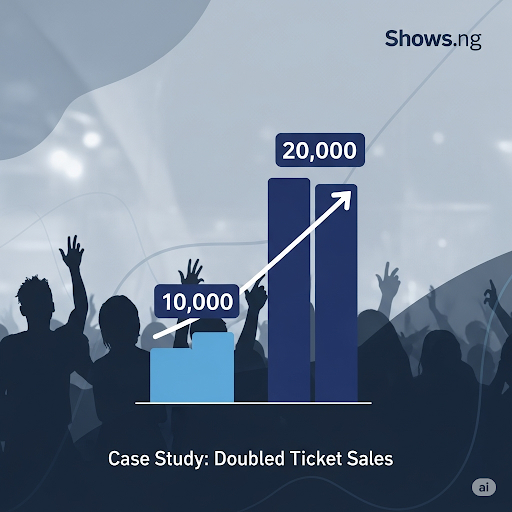
Imagine you have sold 200 tickets. That sounds encouraging until you discover that 180 of them were purchased immediately after launch and only twenty have sold during the following two weeks.
The problem is not the 200 tickets. The problem is the direction.
A strong launch followed by a dramatic slowdown may mean the people who already knew and trusted the event bought first, while the wider campaign is struggling to reach new buyers. It could mean the initial announcement generated excitement that later content failed to maintain. It could also mean people are interested but waiting for another reason to commit.
Another event may have sold only 150 tickets so far but be consistently adding new buyers every day. Depending on how much time remains, that campaign may actually be in a healthier position.
Shows.ng currently provides organisers with real-time ticket sales information through the organiser dashboard, so sales can be followed while the event is still being promoted rather than only after it ends. ([shows.ng](https://shows.ng/features))
The important habit is to stop asking only, "How many have we sold?" and start asking, "How are we selling?"
The Sales Timeline Can Tell You Which Marketing Actually Moved People
Event marketing produces plenty of activity that can look impressive without necessarily producing ticket buyers.
A video gets thousands of views. An influencer post attracts hundreds of comments. A WhatsApp broadcast gets forwarded everywhere. Those things can contribute to awareness, but eventually the organiser needs to know whether awareness is becoming action.
This is where the timing of sales becomes useful.
If a particular announcement goes live on Tuesday and sales increase noticeably that evening, something about that message may have worked. Perhaps the performer announcement finally gave people enough value to buy. Maybe the early-bird deadline created urgency. Perhaps a creator reached exactly the audience you were trying to attract.
The opposite is useful too.
If a campaign consumes a significant amount of your budget and ticket movement barely changes afterwards, do not automatically repeat the same approach simply because the post looked successful publicly.
No single spike proves that one piece of content caused every sale, especially when several promotional activities are happening at once. But patterns can still guide better decisions.
Over time, you can begin connecting campaign moments with sales behaviour instead of evaluating promotion only through likes and comments.
Ticket Categories Show You How Buyers Understand Your Event
If you created several ticket types, the way people choose between them tells you something about perceived value.
Suppose Regular tickets are selling steadily while VIP barely moves. The immediate reaction may be to promote VIP more aggressively. But the better question is whether the offer itself is strong enough.
What exactly does the buyer receive for paying more?
If VIP mainly means a different wristband and a slightly shorter queue, the audience may simply have decided the price difference is not worth it. If another event sees premium tickets disappear quickly while standard admission moves more slowly, that could suggest the audience values comfort, status, proximity or whatever additional experience the premium category provides.
Early-bird performance can teach you something too. Strong early sales may indicate that your core audience trusts the event enough to commit before every detail has been announced. Weak early sales may mean people need more information, more confidence or a stronger price difference before they see a reason to act early.
Shows.ng currently allows organisers to view sales and revenue reporting, including performance across ticket types. https://shows.ng/features
Do not create ticket categories and then treat them only as separate prices. Each one is another way the audience can tell you what they think the event is worth.
Revenue and Ticket Count Are Not the Same Story
An event can sell many tickets and still produce disappointing revenue.
That can happen when most buyers select the cheapest ticket category, when discounts are too aggressive or when the pricing structure was never properly connected to the event budget.
The opposite is possible too. A smaller number of premium ticket sales may generate significant revenue even though the overall attendance number still needs work.
This is why organisers should watch ticket quantity and revenue together.
If you only celebrate the number of tickets sold, you may miss the fact that the financial side is falling behind. If you only watch revenue, you may overlook the attendance required to create the atmosphere or sponsor exposure the event was designed around.
Before the campaign starts, understand how much revenue different combinations of ticket categories could realistically generate. As sales develop, compare the actual mix against that expectation.
Shows.ng's current reporting tools include sales and revenue reports, with data that can also be exported for further analysis and accounting. https://shows.ng/features
Attendee Information Helps You Understand Who Actually Responded
Organisers often plan around an imagined audience.
You believe the event will attract young professionals. You think university students will dominate the crowd. You expect most buyers to come from a particular community because those are the people engaging with the promotional content.
Then registrations begin and reality may look different.
Attendee information can help you understand who is actually committing rather than who seems interested online.
This matters because your real audience should influence communication before the event. If many attendees are travelling from outside the immediate area, clearer directions may become more important. If different ticket categories attract noticeably different groups, that can influence how you describe the experience.
It can also inform future marketing. An organiser may discover that a community they barely targeted became one of the strongest sources of attendance. That gives the next campaign a useful place to investigate rather than automatically spending the same budget through the same channels.
Use attendee information responsibly. Having access to someone's contact details because they registered for an event does not mean every member of your team needs unrestricted copies of that information. Only use and share attendee data for legitimate event purposes and according to the privacy commitments attached to your registration process.
Free Registration Data Needs a Different Interpretation
Free events create an analytics challenge because registering and attending do not require the same level of commitment as purchasing a paid ticket.
Someone may reserve a free place with every intention of attending and later change plans without feeling any financial loss. That means a free event with 500 registrations should not automatically assume exactly 500 people will be standing at the venue.
This is where previous event data becomes valuable.
If you run recurring free programmes, compare registrations with actual attendance over time. You may begin to see a typical pattern that helps with seating, catering and staffing decisions.
Communication can influence that behaviour too. A reminder closer to the date may reduce forgotten registrations. Clear instructions on what attendees should do if they can no longer come can help the organiser understand availability more accurately.
The useful lesson is that registration numbers still matter, but they need to be interpreted according to the kind of commitment the registration represents.
Analytics Should Change What You Do While There Is Still an Event to Save
This is where real-time reporting becomes genuinely useful.
If sales are below target several weeks before the event, you still have options. You can revisit the campaign message, increase promotion, activate partners, introduce a legitimate deadline or examine whether the ticket offer is strong enough.
If one ticket category is approaching capacity, you can stop promoting it and direct attention towards other available options. If a promotional campaign creates a noticeable lift, you can investigate whether a similar approach deserves more attention.
If sales are far stronger than expected, analytics can influence operations as well. You may need additional gate staff, more security, another scanning point or adjustments to catering and other attendance-sensitive services.
Data should not only tell the marketing team what to do.
It can affect production, staffing, budgeting and venue operations because all of those decisions depend partly on how many people are actually expected.
Our guide on how to increase event ticket sales and build real demand goes deeper into what you can change when the numbers show that interest is not converting quickly enough.
Do Not React to Every Number Like It Is an Emergency
Having real-time data can create another problem: checking it too often.
You refresh sales every fifteen minutes. Three hours pass without a purchase and suddenly the entire marketing strategy appears to be failing. One ticket category sells several times in a row and you immediately redesign the campaign around it.
Event sales do not usually move in a perfectly smooth line.
Paydays, weekends, announcements, deadlines and group decisions can all create periods of faster and slower activity. Some Nigerian events also experience significant last-minute purchasing, particularly when the audience has learned that tickets often remain available close to the date.
Look for meaningful patterns rather than reacting emotionally to every quiet period.
Compare performance across days and campaign stages. Keep your original targets visible. Ask whether the overall direction has changed enough to require action.
Analytics should make decision-making calmer because you have evidence. They should not turn the organiser into somebody who panics every time the dashboard does not move for an hour.
Sponsors Need More Than a Screenshot Saying the Event Did Well
Event analytics become particularly important when another organisation has invested in the event.
A sponsor may want to know how many people registered or purchased tickets, how attendance compared with expectations and what happened around the parts of the event connected to its partnership.
Ticket and registration information cannot answer every sponsorship question. It will not automatically tell you how people felt about an activation or whether every attendee noticed the sponsor. But it gives you a factual foundation for the report instead of relying entirely on broad claims such as "the event was a huge success."
The same applies to co-organisers, investors or internal stakeholders.
When people have committed money or resources, transparent reporting makes conversations easier because everybody can discuss the same numbers.
Shows.ng currently provides detailed reports and export options, including sales, revenue and attendee information that organisers can use for accounting and analysis. https://shows.ng/features
If sponsorship is important to the event, our guide on how to pitch sponsors and deliver real value explains why reporting should be treated as part of the partnership itself.
Attendance Data Can Expose Problems Ticket Sales Cannot
Selling a ticket and having the buyer actually enter the venue are not identical outcomes.
If 700 people bought tickets but only 550 checked in, that difference is worth understanding. Some no-shows are normal. Plans change, transport problems happen and people sometimes buy tickets they never use.
But attendance behaviour can still reveal patterns.
Perhaps a particular free registration type produced many reservations but relatively few attendees. Maybe guests arrived much later than expected, creating a sudden rush at the gate. A recurring event may discover that certain communication or reminder strategies improve turnout.
Ticket scanning can therefore become another useful source of event information rather than only a security tool.
Shows.ng's scanner currently provides real-time attendee verification and tracks scan activity, while its reporting tools include attendee lists and post-event reporting. https://shows.ng/features
When you compare what was sold or registered with what actually happened at the venue, you get a more complete picture of performance.
The Post-Event Report Should Answer More Than “Did We Sell Out?”
A sold-out event can still teach you plenty.
How early did it sell out? Which categories moved first? Did a particular campaign appear to accelerate demand? How many ticket holders attended? Did the event make the revenue you expected, or did the ticket mix produce a different result?
An event that did not sell out can be equally informative.
Maybe one category performed extremely well. Perhaps marketing started too late. The audience may have responded strongly immediately after specific announcements but gone quiet during long periods without new information.
Do the review soon after the event while you can still connect the numbers with what the team remembers happening.
Shows.ng currently keeps post-event reports available to organisers and provides report export options, allowing the information to remain useful after the event itself has ended. https://shows.ng/features)
Save those lessons somewhere your next planning team can find them.
The point of analytics is not proving that the previous event was successful. It is reducing how much guessing you need to do on the next one.
Do Not Confuse Having Data With Understanding It
A dashboard can show you ticket sales, revenue and attendee information. It cannot automatically explain every reason behind those numbers.
If sales increased dramatically after a performer announcement, the announcement may have contributed. But perhaps payday happened at the same time. If sales slow down, the audience may be losing interest, or they may simply be waiting for another ticket phase.
Analytics help you ask better questions.
Combine the numbers with what you know about your marketing, audience and event. Talk to attendees where appropriate. Look at campaign activity. Compare with previous editions.
A number becomes powerful when it changes the quality of your decision.
You Should Be Able to Know How Your Event Is Performing Without Guessing
An organiser should not have to wait until event day to discover whether a sales campaign worked.
You should be able to see whether tickets are moving, understand which options buyers prefer, follow the revenue being generated and compare progress against the target you planned.
Then use that information.
If sales slow down, investigate before automatically spending more money on promotion. If one ticket type is struggling, examine the value rather than simply posting it more often. If demand exceeds expectations, make sure the operational side is prepared for the crowd you are actually attracting.
After the event, compare bookings, attendance, revenue and campaign behaviour with what you originally expected. Those lessons should influence pricing, capacity, marketing and ticket structure next time.
Shows.ng currently provides organisers with real-time ticket sales information, revenue reporting, ticket-type performance, attendee details and downloadable reporting options through its event management tools. https://shows.ng/features
If you are preparing your next event and want to track its performance from the beginning, you can create your event on Shows.ng and begin collecting useful sales and attendee information as registrations or ticket purchases come in.
The value of event analytics is not knowing more numbers. It is finding out what needs to change while you still have time to change it.