In this article
- Begin With One Source of Truth for the Event
- Use a Task Tool to Make Ownership Visible
- Your Calendar Should Contain More Than the Event Date
- Use a Proper Budget Tool Before You Start Spending
- Do Not Confuse Ticket Revenue With Event Profit
- Build a Vendor Record Instead of Searching Old Chats
- Use WhatsApp for Speed, Not as the Entire Planning System
- Your Run Sheet Is an Event-Day Tool, Not Just a Planning Document
- Use Design Tools for Consistency, Not Just Pretty Flyers
- Your Social Media Tool Should Reduce Repetitive Work
- Ticketing Should Give Buyers One Reliable Place to Act
- Your Ticketing Dashboard Should Influence Decisions While Sales Are Still Open
- Use Advertising Tools When Organic Reach Is Not Enough
- Use Forms When You Need Structured Information From People
- Attendee Communication Needs a Direct Channel
- Your Check-In Tool Needs an Event-Day Plan Around It
- Your Own Website Can Still Work With Your Ticketing Setup
- Virtual and Hybrid Events Need Their Own Production Tool
- Keep Important Event-Day Information Available Offline Too
- Do Not Add Another Tool Until You Know What Problem It Solves
- A Small Event Does Not Need the Same Stack as a Festival
- The Best Event Tool Is the One Your Team Actually Uses Correctly
Event planning becomes difficult very quickly when important information is scattered everywhere.
The venue agreement is in one person's email. Vendor prices are buried inside WhatsApp chats. Ticket numbers are being counted manually. The budget exists in somebody's notebook. The latest programme is called Final Programme New Corrected 3, and nobody is completely sure which version the MC has.
That is the kind of problem good event-planning tools should solve.
The objective is not to collect as many apps as possible. A complicated technology stack can create almost as much confusion as having no system at all.
What you need is a small group of tools with clearly defined jobs.
One place should hold the working plan. One system should show who owns each task. Your budget should tell you what has been committed and what has actually been paid. Your ticketing system should tell you who has registered and how sales are moving. Your event-day team should know how tickets will be checked, and attendees should have a reliable way to receive important information.
No single application needs to do all of those things.
A better approach is choosing the right tool for each important part of the event and making sure those tools work together without creating unnecessary duplication.
Begin With One Source of Truth for the Event
Every event needs one place where the team can find the latest important information.
That could be a shared Google Drive folder containing Google Docs and Sheets, a Notion workspace or another cloud-based system your team already understands.
The particular software matters less than the discipline.
Your venue information, vendor contacts, programme drafts, floor plans, contracts, budget files and other working documents should not exist only inside individual phones.
If the decorator sends a revised quotation through WhatsApp, move the relevant information into the official budget or vendor record. If the programme changes, update the working run sheet rather than assuming everybody saw a message in the planning group.
This becomes increasingly important as the team grows.
A birthday organised by three people may survive informal coordination. A conference involving production, speakers, sponsors, catering, security, registration and volunteers needs a clearer information structure.
The goal is simple: when somebody asks, “Where is the latest version?”, the answer should not depend on who is online.
Use a Task Tool to Make Ownership Visible
Event plans are full of things that sound agreed until you ask who is actually responsible.
Someone needs to confirm the photographer. Someone needs to collect the sponsor artwork. Somebody must send the final programme to the MC. The backup generator needs fuel. Speaker biographies need to reach the design team.
If every task belongs vaguely to “the team”, many tasks eventually belong to nobody.
Tools such as Trello, Notion, Asana or even a well-structured shared spreadsheet can help you assign an owner, deadline and status to each important action.
You do not need an elaborate corporate project-management system for a small event.
You do need enough visibility to answer three questions: what still needs to happen, who is responsible for it and when does it need to be finished?
That becomes particularly useful in the final weeks when the number of small outstanding decisions begins to increase.
Your Calendar Should Contain More Than the Event Date
An event does not really have one deadline.
It has dozens.
The venue deposit may be due eight weeks before. Early Bird pricing may end three weeks before. Printing needs final artwork several days before production. The caterer may require a final headcount. Speakers need briefing information. Security needs its deployment plan.
Put important deadlines into a shared calendar where appropriate rather than depending on memory.
A calendar is especially useful for commitments that become expensive when missed.
The final payment date for a venue deserves stronger visibility than another message disappearing inside a group chat.
Use a Proper Budget Tool Before You Start Spending
A spreadsheet remains one of the most useful event-planning tools available.
Your budget should do more than show an original estimate.
It should help you distinguish between what you expected to spend, what suppliers have quoted, what you have committed to, what you have paid and what is still outstanding.
This matters because an event can appear to have plenty of money available simply because several large balances have not yet been paid.
For example, your bank account may still contain ₦2 million while the venue, sound company and caterer are collectively owed ₦1.7 million.
That is very different from having ₦2 million available for new ideas.
Google Sheets, Excel or another spreadsheet tool can handle this perfectly well when the structure is clear.
For larger or recurring event businesses, dedicated accounting software may eventually make sense, but organisers should not confuse sophistication with usefulness.
The important thing is knowing what the numbers actually mean.
Do Not Confuse Ticket Revenue With Event Profit
This is an important distinction when using ticketing analytics.
Your ticketing dashboard can tell you how much ticket revenue the event has generated.
It cannot know every cost you have incurred outside the platform.
If Shows.ng reports that your event has generated a particular amount from ticket sales, you still need your own financial records for venue costs, performers, transport, production, décor, advertising, staffing, insurance where applicable and every other event expense.
Revenue becomes much more useful when you compare it with the budget.
That combination helps you understand whether strong ticket sales are actually producing a financially healthy event.
Build a Vendor Record Instead of Searching Old Chats
Event planners work repeatedly with caterers, decorators, photographers, DJs, sound engineers, venues, printers, security companies and other suppliers.
Keep useful vendor information somewhere searchable.
A spreadsheet or database can record the company or person's name, service, phone number, agreed price, deposit, outstanding balance, event-day contact and any important delivery requirements.
Over time, you can also note your own experience working with them.
Did they arrive when agreed? Was the final invoice consistent with the quotation? Did they respond well when something changed?
This is much more useful than saving somebody as Sound Guy Lekki New and hoping you remember who they are six months later.
Store important agreements and quotations alongside those records too.
WhatsApp is useful for conversation. It is not an ideal long-term contract-management system.
Use WhatsApp for Speed, Not as the Entire Planning System
WhatsApp is difficult to avoid in Nigerian event planning because clients, vendors and team members already use it heavily.
That makes it useful.
It does not make it suitable for everything.
Use messaging for quick coordination, confirmations and urgent updates. For critical information, move the final decision into the appropriate working document.
If the venue changes the permitted setup time, update the logistics plan. If the client approves a different menu, make sure the catering record reflects it. If production changes the stage schedule, update the run sheet.
Otherwise your team can spend event week trying to remember which of 300 messages contained the final decision.
Your Run Sheet Is an Event-Day Tool, Not Just a Planning Document
The run sheet turns the programme into something operational.
It should show enough information for the relevant team to understand what happens, when it happens and who is responsible.
The public programme may say that the keynote begins at 11am.
The working run sheet may also need to show when the speaker is brought backstage, when the previous session ends, whether a video plays first, which microphone is required and who gives the stage cue.
The format can be a spreadsheet, shared document or specialist event-production software depending on complexity.
Whatever you use, make sure people can still access the necessary version if internet connectivity becomes poor.
Our guide on creating an event run sheet explains how to structure the programme in more detail.
Use Design Tools for Consistency, Not Just Pretty Flyers
Canva and similar design platforms can be useful because event promotion rarely requires only one image.
You may need a launch flyer, speaker announcement, ticket reminder, Instagram Story, sponsor graphic, programme card and directional signage.
Using consistent fonts, colours, logos and templates helps all of those materials feel as though they belong to the same event.
That consistency also saves time.
Your designer does not need to reinvent the visual language every time the organiser asks for another announcement.
Canva currently provides event templates for items such as posters, programmes and social posts, which makes it practical for organisers who need straightforward campaign assets without building every graphic from scratch.
For campaigns where supporters or attendees want branded profile graphics, the Shows.ng DP Generator can also be useful for creating event display pictures.
Neither tool replaces strong event branding. They simply make repeated execution easier once the visual direction is clear.
Your Social Media Tool Should Reduce Repetitive Work
Promotion becomes tiring when every post is created at the last minute.
A simple content calendar can help you decide when to announce speakers, reveal performers, explain ticket categories, answer common questions and remind people about genuine deadlines.
Scheduling tools can then reduce repetitive publishing work where appropriate.
The tool is not the marketing strategy.
Scheduling ten weak posts in advance does not make them stronger.
Decide what each post is supposed to accomplish first.
The most important thing is that promotional content gives interested people a clear next step, usually the official event page or ticket link.
Ticketing Should Give Buyers One Reliable Place to Act
Ticket sales become difficult to manage when buyers are being told to transfer money to several accounts, send screenshots to different people and then wait for somebody to confirm whether they are attending.
A dedicated ticketing system gives the buyer a more structured process and gives the organiser a clearer sales record.
Shows.ng allows organisers to create event pages and ticket options while buyers can use supported online payment methods rather than requiring every purchase to be confirmed manually.
The current Shows.ng payment documentation includes Nigerian cards, bank transfer and USSD, alongside international card payments and currency display options for audiences buying from outside Nigeria.
For a ticketed event, this means the ticketing tool becomes part of both the customer experience and the organiser's operations.
If you want a deeper walkthrough, see our guide on selling event tickets online in Nigeria.
Your Ticketing Dashboard Should Influence Decisions While Sales Are Still Open
One advantage of digital ticketing is that the organiser does not have to wait until event day to discover how demand developed.
Shows.ng currently documents real-time sales counts, revenue tracking, ticket-type breakdowns, attendee information and a sales timeline in the organiser dashboard.
That information can help you ask better questions.
Are Early Bird tickets moving while VIP is barely selling? Did sales slow after the launch period? Is one ticket category approaching its allocation faster than expected?
Data does not make the decision for you.
It tells you where to look.
Our guide on real-time event analytics and reporting explains how organisers can use that information while a campaign is still active.
Use Advertising Tools When Organic Reach Is Not Enough
Posting more frequently is not the only way to increase event visibility.
Paid advertising can be useful when you know the audience you are trying to reach and have an event offer capable of converting that attention.
Shows.ng currently provides advertising options for published events. Its help documentation describes packages that can include promotion through platforms such as Facebook, Instagram and Google Ads, along with Shows.ng placements, with targeting options including audience, location and age bracket.
You can review the current process in the Shows.ng event advertising guide.
Advertising is still not a substitute for positioning.
Paying to show a confusing event to more people simply allows more people to become confused.
Use Forms When You Need Structured Information From People
Google Forms and similar form tools can solve many simple information-collection problems.
You might use one for vendor applications, volunteer information, speaker requirements or post-event feedback.
Google Forms currently allows organisers to create forms and surveys, collect responses and analyse them collaboratively.
The important part is avoiding duplication.
If your ticketing platform already collects the information required to admit attendees, do not automatically create a second registration form asking the same people to enter everything again.
Use an additional form when you genuinely need information that belongs outside the normal ticket purchase or registration process.
Attendee Communication Needs a Direct Channel
Social media is useful for public promotion.
It is unreliable as the only way to communicate important information to people who have already registered.
An algorithm does not know that your venue entrance has changed and every ticket holder urgently needs to see the update.
Shows.ng currently provides event-specific attendee messaging. Organisers can open an event's attendee list, choose Send Message to Attendees, write a subject and message and have the message delivered to those attendees by email.
The attendee messaging guide explains the process.
This is useful for arrival information, significant event changes, post-event thank-yous and feedback requests.
It should not be confused with a general newsletter or marketing-automation system.
If your organisation runs broader email campaigns across several audiences, you may still need a dedicated email-marketing or CRM tool for that job.
Your Check-In Tool Needs an Event-Day Plan Around It
A ticket scanner can make verification faster and more consistent.
It does not magically remove every queue.
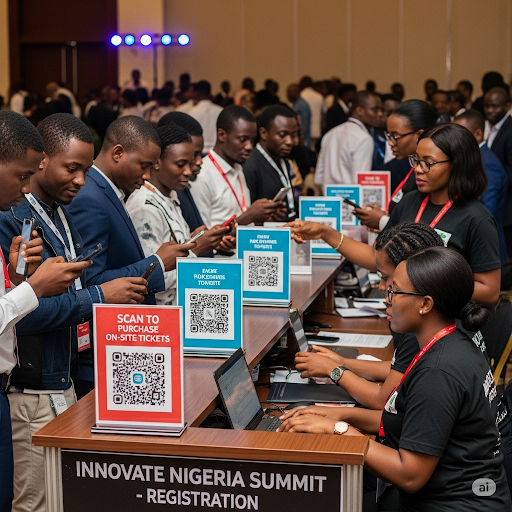
Shows.ng provides a scanner application that allows event staff to scan the barcode on an attendee's ticket and retrieve the ticket details when the ticket is valid.
You can see the documented process in the Shows Ticket Scanner guide.
The organiser still needs to decide how many scanning positions are required, where queues will form, what happens when a ticket has a problem and which staff member handles exceptions.
Technology solves the verification task.
Operations solve the entrance.
Your Own Website Can Still Work With Your Ticketing Setup
Some organisers already have a website for their company, conference, festival or recurring event brand.
They may not want visitors to discover the event on one site and then struggle to find the booking information somewhere else.
Shows.ng currently offers an event widget that organisers can generate from the dashboard and embed into their website using the supplied code.
The event widget guide explains the setup.
This is particularly useful for event brands that already receive meaningful traffic through their own website and want the event information connected more closely to that existing presence.
Virtual and Hybrid Events Need Their Own Production Tool
If the event includes remote participation, the video platform becomes part of the venue.
Audio quality, moderation, access and participant communication matter just as much online as microphones and entrances matter physically.
Shows.ng currently provides ShowsMeet for organisers with an active Shows event. Its help documentation allows organisers to create a video meeting or livestream link for a fully online event or an in-person event that also needs remote participation.
You can review that workflow in the ShowsMeet setup guide.
Do not add a livestream simply because the technology exists.
A hybrid experience introduces additional production responsibilities, and the remote audience needs to be considered as deliberately as the people inside the venue.
Keep Important Event-Day Information Available Offline Too
Cloud tools are convenient until somebody urgently needs a document and connectivity becomes unreliable.
Keep appropriate offline copies of the information that is critical to running the event.
The run sheet, important vendor contacts, emergency information, venue plan and essential call times should not become completely inaccessible because one device cannot connect.
This does not mean printing your entire cloud drive.
Decide which information the team cannot afford to lose access to for an hour and prepare accordingly.
Your technology plan should include what happens when the technology is temporarily unavailable.
Do Not Add Another Tool Until You Know What Problem It Solves
Event teams can easily create their own digital clutter.
The budget is in Sheets. Tasks are in Trello. Somebody starts a Notion workspace. Another person creates an Airtable. The designer uses a separate approval tool. Three WhatsApp groups discuss the same suppliers.
Eventually the team spends more time updating tools than planning the event.
Before introducing another application, ask what problem it solves that the current system cannot.
If the answer is unclear, you probably do not need it.
A smaller tool stack that everybody actually uses is more valuable than a sophisticated system half the team ignores.
A Small Event Does Not Need the Same Stack as a Festival
Match the tools to the complexity.
A small paid workshop may run perfectly well with a shared spreadsheet for budget and tasks, a cloud folder for documents, WhatsApp for quick team communication, Canva for campaign assets, Shows.ng for registration and tickets, and a simple feedback form afterwards.
A multi-day conference may need stronger project management, separate workstreams, a detailed run sheet, structured speaker records, sponsor tracking, multiple ticket categories, website integration, attendee communication and more formal reporting.
The principle is not to use every available tool.
It is to give every important operational responsibility a reliable home.
The Best Event Tool Is the One Your Team Actually Uses Correctly
Software cannot compensate for unclear ownership.
A beautiful project board does not help when nobody updates it. A detailed budget is useless when spending happens outside it. A ticketing dashboard cannot protect your capacity if complimentary guests are being admitted without being counted. A run sheet cannot control the programme if speakers and vendors never receive the relevant information.
Choose tools that fit the team you actually have.
Keep the structure simple enough that people understand where information belongs. Avoid recording the same thing in several places unless there is a clear reason.
Use planning and project tools to organise work, spreadsheets or accounting tools to understand costs, design tools to create campaign assets and communication tools to keep the team moving.
Then use your event platform for the jobs it is designed to handle.
Shows.ng can support event publishing, ticketing and payments, sales analytics, digital ticket verification, attendee email communication, event advertising, website widgets and online or hybrid participation through ShowsMeet. Those capabilities are useful precisely because they do not need to pretend to replace every other tool in an organiser's workflow.
When your plan is ready, you can create your event on Shows.ng and connect the attendee-facing parts of the event to the planning system your team is already using.
You do not need more event-planning apps. You need fewer important tasks depending on memory, screenshots and whoever happens to be online when something goes wrong.